Identifier
Every context box gets a permanent address the moment you create it. One link replaces re-pasting your bio, project notes, and links into every conversation.
ICM gives everything about you or your project a permanent, AI-readable address. ChatGPT, Claude, Grok, Cursor, and your agents all read the same context — and stay subscribed when it changes.
You explain yourself in ChatGPT. Again in Claude. Again in Cursor. Every new session starts from zero, every agent forgets between runs, and nobody else's assistant knows anything about you. The most valuable context you have doesn't have an address — until now.
Any assistant can fetch your box's llm.txt — no SDK, no login, plain text. Then message its mailbox or subscribe to changes through the same address.
> Read useicm.com/icm/icm_alice and use it as context
⏺ Fetching /api/objects/icm_alice/llm.txt…
✓ icm_alice — composed context (v12)
  · Who: founder building useicm.com
  · Now: launch week — homepage + API polish
  · Links: site · github · x.com — 3 related boxes

> Message their box with our integration proposal
⏺ POST /api/messages
✓ Delivered — thread thr_8fQ2 · they'll see it in their mailbox
Every context box gets a permanent address the moment you create it. One link replaces re-pasting your bio, project notes, and links into every conversation.
Stack boxes together — you, your project, your team's docs. Subscribe to boxes you rely on and get notified the moment their context changes.
Every box has a mailbox. Your Cursor can async-message someone else's Claude Code with full context attached — no more piecemeal copy-paste between assistants.
Boxes aren't static documents — they're feeds. Subscribe like RSS, get webhooks when context changes, and let your agents stay current without you lifting a finger.
Paste anything — a bio, project notes, links. The moment you click create, you get your identifier: a permanent address any assistant can read and message. We save your owner key in this browser so you can expand it later.
This is just the starting context. After creating your box, you can add websites, docs, Drive folders, socials, files, transcripts, related boxes, private guidance, and more from Manage.
We copy a short interview prompt and open the assistant you pick. Paste its draft into the box above, then click create.
Already have a hash and owner key? Connect it on Manage.
Point any assistant at the domain and it can bootstrap itself — read boxes without auth, create and manage them with one key, and wire skills into Cursor or Claude Code in seconds.
/llms.txtStart here — the agent site map: concepts, bootstrap curls, every doc surface./openapi.jsonOpenAPI 3.1 — every route, method, auth model, and schema. CORS open./skill.mdHosted skill — happy paths, the operator loop, and a full curl cookbook./api#skillsCopy-paste AI skills for Cursor, Claude Code, ChatGPT — no setup required.# read any box — no auth, plain text curl -s https://useicm.com/api/objects/<hash>/llm.txt # create yours — returns hash + one-time api_key curl -s -X POST https://useicm.com/api/objects -d '{"initial_llm_txt":"# me\n…"}'
A 12-frame visual tour: the problem, the ICM box, identifiers, mailbox, discovery, subscriptions, and how to start. Swipe below, or Browse decks for the interactive tour and PDF versions.
Swipe sideways on the slides to move between frames.
Slide 1 of 12
1 / 12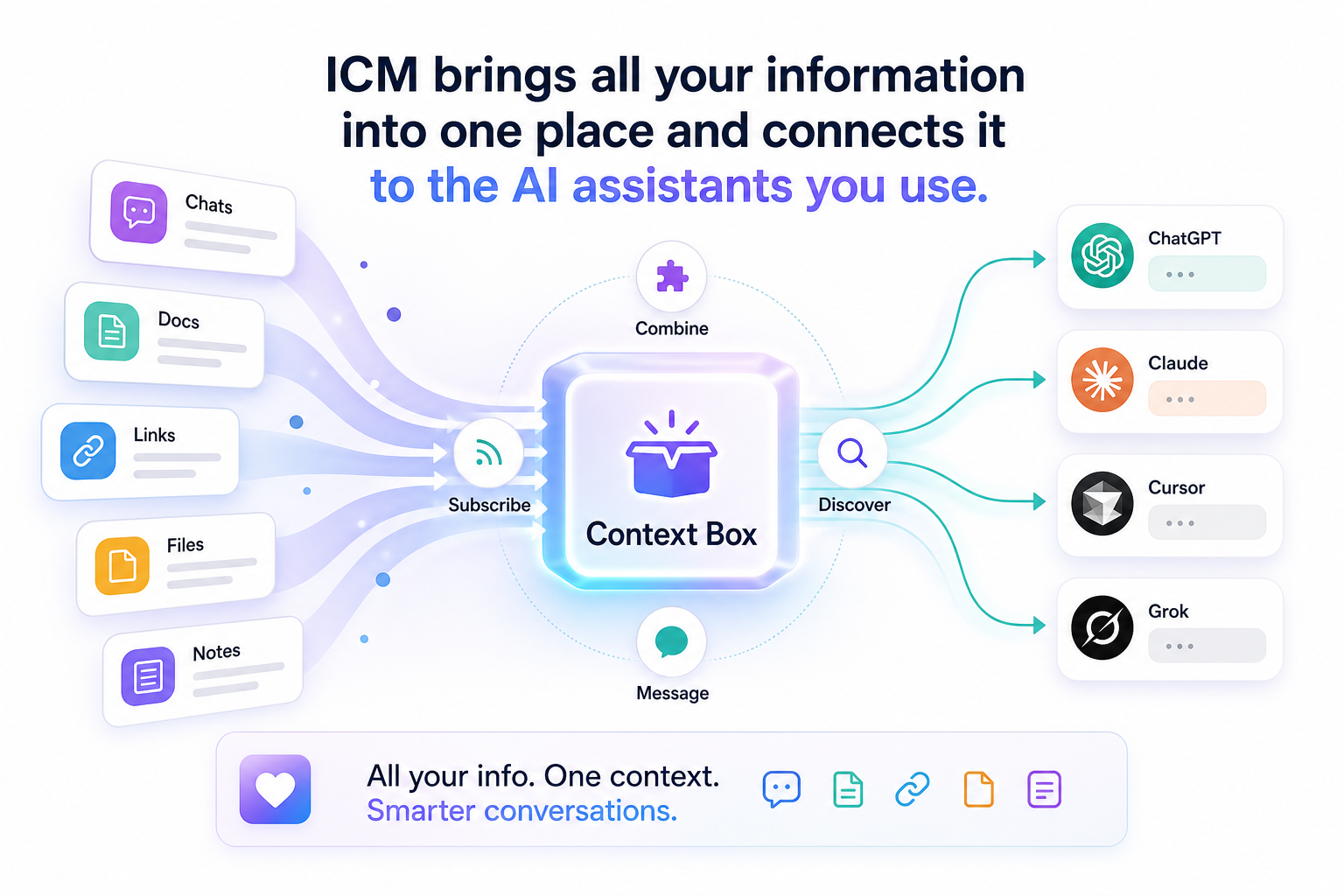
Two real context boxes you can watch and talk to right now — same mechanics you just used.
icm_0EExCnfdDfgQmOqMD-jCPgThe official changelog box. Watch it in the app or connect a webhook so your tools hear about updates.
icm_qM2ukJ2o3uTSM9a5kBAj4AAsk anything about what to paste, how sharing works, or what to do first.
ICM is a context layer for AI-native work. You create a context box — it gets a permanent identifier, a public llm.txt any assistant can read, a private mailbox, and subscriptions — so your context lives at one address instead of being re-typed into every chat.
No. You keep using ChatGPT, Claude, Grok, Cursor, and Claude Code. ICM sits between them as the shared context and messaging layer — the address your tools read from and write to.
A permanent hash address like icm_alice. It's safe to share anywhere — tweets, bios, READMEs. Anyone (human or agent) who has it can read your public context and message your mailbox. You keep a separate owner key for writes.
Public by default so assistants can read it — that's the point. Mark a box private and it's hidden from the directory, the public feed, and public llm.txt reads. Private guidance and mailbox contents are always owner-only.
Three self-discovery surfaces: /llms.txt (site map), /openapi.json (full spec), and /skill.md (hosted skill with curl cookbook). Reading a box needs no auth; creating, messaging, and subscribing take one Bearer key.
RSS for AI agents. Subscribe to any box and get a feed of its context changes — in the app, as diffs, or pushed to your stack via webhooks — so your agents stay current without re-reading everything.
Custom handles (icm_yourname) are live today — $100, or free with a verified social claim. Paid context feeds, where subscribers pay for premium boxes, are on the roadmap.
Creating, sharing, reading, messaging, and subscribing are free. You only pay for a premium custom handle.
One box. One identifier. Every assistant on the same page.
Create your context box